Bemmoly: the open-source, self-hosted alternative to Jira
Issues, workflows, Kanban and Scrum boards and sprints for your whole company, on a server you own. Bemmoly is MIT licensed, free for any number of people, and Import from Jira brings your projects across.
Open. Free. Nothing to buy.
What you install is the whole product, and it stays that way.
100% open source
MIT licensed. Every feature is in the public repository: no open core, no enterprise edition, no private modules.
No subscription
No subscription, plans, tiers, seat limits or trial clock. Free forever, with nothing to upgrade to. Your only bill is the server.
No in-app purchases
No paywalled features, no upsell banners, no “contact sales”. Every switch in Settings is yours to flip.
What you get today
Everything below is in Bemmoly 1.0.0, the release the installer pulls today. The Work module is in every install and stays off until an admin turns it on.
Issue types and custom fields
Epic, story, bug, task, incident and subtask to start, or types of your own, each with its fields and create form.
Workflows you draw
Statuses and transitions in a visual editor, with conditions, validators and post-actions, checked before you publish.
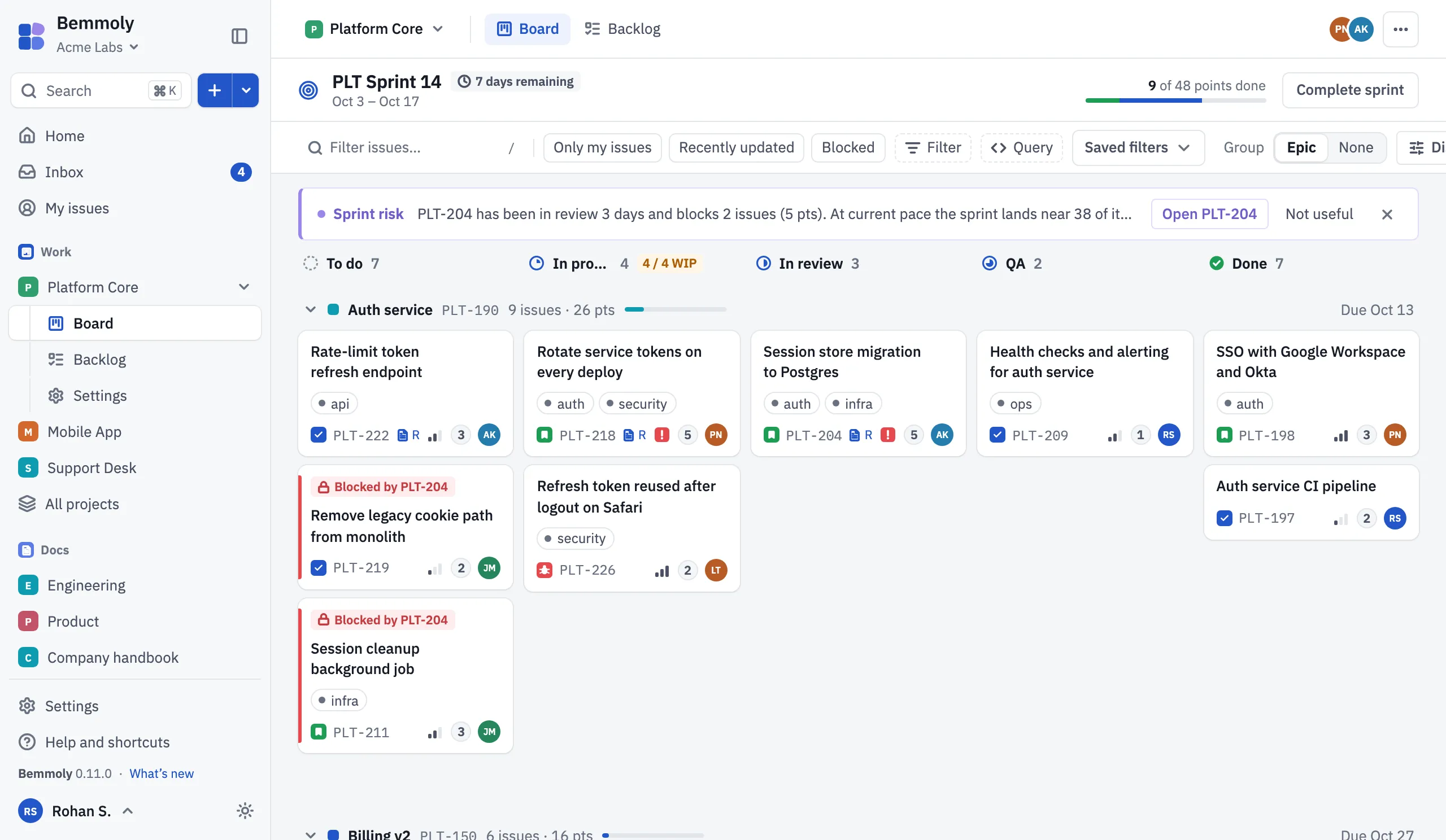
Kanban and Scrum boards
Columns mapped to statuses with WIP limits and swimlanes; velocity on Scrum boards, cycle time and throughput on Kanban.
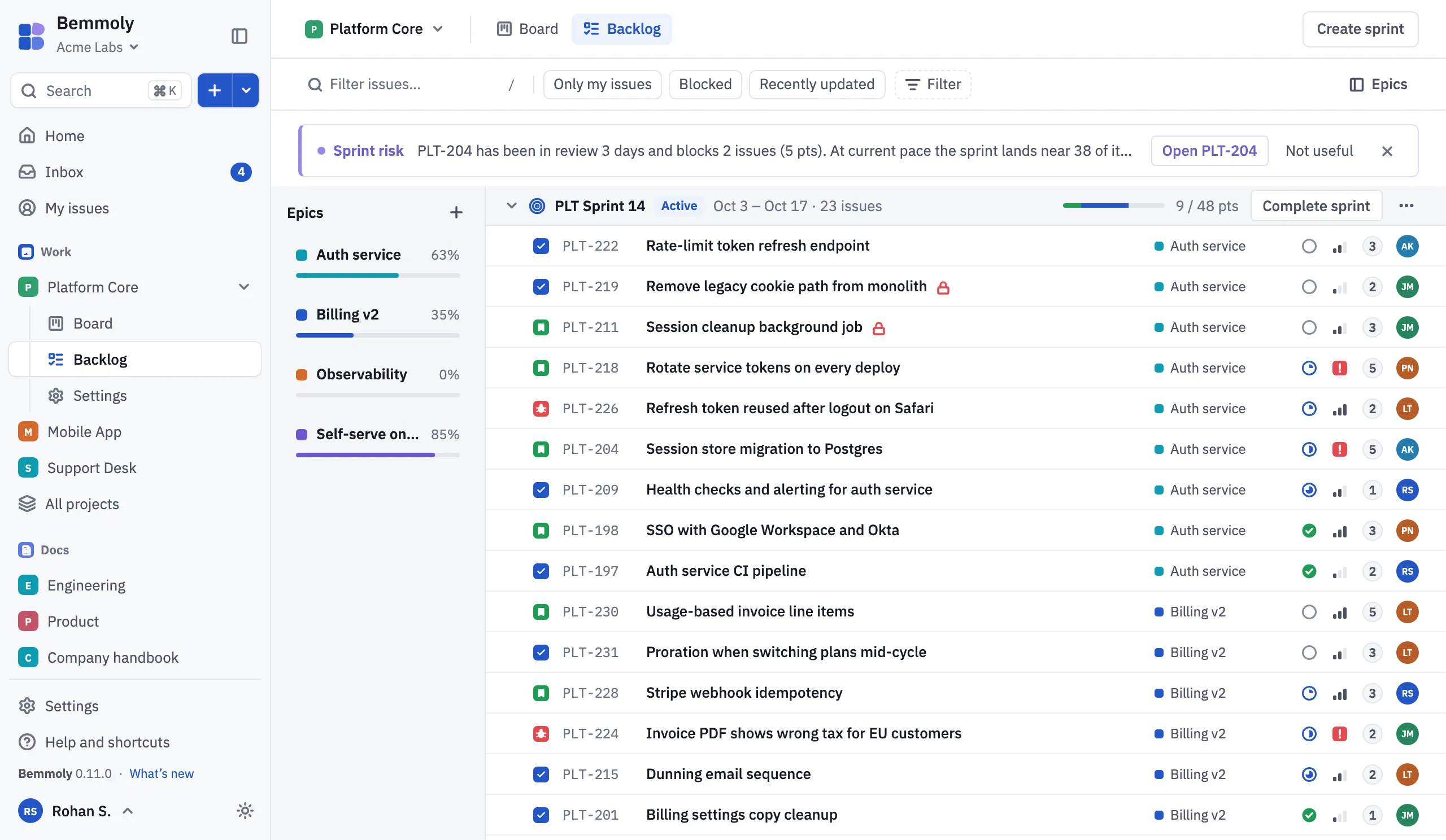
Backlog and sprints
Plan sprints against their capacity, drag issues between sprints and the backlog, then start and complete them.
A query language
Filter any list with a short query that is checked and completed as you type, and save it for yourself or a team.
Projects, roles and audit
Members with a role per project, custom roles with organisation-wide locks, and an audit log of every change.
Single sign-on and SCIM
Any OpenID Connect provider or SAML 2.0, people placed in roles and teams from their groups, and SCIM 2.0 provisioning.
Docs beside the issues
Spaces of pages your team writes together, with issue chips and tables that show each issue’s live status.
AI with your own provider
Off until an admin turns it on: issue summaries that cite their sources, and plans from ⌘K that run only when you confirm.
Bemmoly and Jira, side by side
Both track issues on boards. The difference is where it runs, who holds the data and what it costs. Each cell links to the page that says so.
| Topic | Bemmoly | Jira (Atlassian cloud) |
|---|---|---|
| Where it runs | Bemmoly Your own server: a Linux VM in your cloud account or a machine in your rack. Source: Self-hosting | Jira (Atlassian cloud) Atlassian’s cloud, which runs in AWS regions. Source: Atlassian: Understand data residency |
| Licence | Bemmoly MIT, open source. Every feature is in the public repository. Source: LICENSE | Jira (Atlassian cloud) Proprietary, used under the Atlassian Customer Agreement. Source: Atlassian Customer Agreement |
| Pricing model | Bemmoly None. No subscription, plans, tiers or seat limits; you pay only for your server. Source: Settings › Members | Jira (Atlassian cloud) Subscription plans: Free, Standard, Premium and Enterprise. Source: Atlassian: Jira pricing |
| Where your data lives | Bemmoly In your Postgres and your server’s folders, or an S3-compatible bucket you choose for files and backups. Source: On-premise | Jira (Atlassian cloud) Atlassian’s Global location by default; a chosen location on Standard, Premium and Enterprise plans. Source: Atlassian: Understand data residency |
| Bringing work across | Bemmoly Import from Jira (Cloud and Data Center): projects, issues, comments, attachments, boards and sprints, with a preview before anything is written. Source: Release notes | Jira (Atlassian cloud) The source of the import. |
On hosting choices, from Atlassian’s own announcements:
- Support for its Server products ended on February 15, 2024. Source
- Its Data Center products reach end of life in 2029, with Bitbucket and Bamboo as exceptions. Source
Bemmoly is built to run on your own server from the first release.
Moving your projects across
-
Install Bemmoly and turn on Work
One command on a Linux VM, then Settings › Manage modules. The setup wizard offers the import as one of its steps, too.
-
Connect your site
In Settings › Import, choose Import from Jira, then enter the site address (Cloud or Data Center) and an API token or personal access token. The token is stored encrypted and never shown again.
-
See what will come across
Before anything is written you see the projects and their counts, then how issue types, statuses and custom fields will land: matched, created or only reported.
-
Run it and read the report
The import runs in the background with live progress and can be cancelled. The report lists what was created, updated and skipped, and why.
-
Run it again whenever you like
Every imported record is remembered, so a second run updates what the first one made instead of copying it, and leaves alone anything edited in Bemmoly since.
Issues from any other tracker come in from a CSV file, one issue per row, with columns matched by their headers.
Questions
- Is Bemmoly really free?
- Yes. Bemmoly is open source under the MIT license, with no subscription, no seat limits and no in-app purchases. Every feature is in the image you install; your only cost is the server it runs on.
- Can I bring my projects over from Jira?
- Yes. Import from Jira brings projects with their keys and issue numbers, issue types, statuses, custom fields, versions, components, boards and sprints, and issues with their descriptions, comments, attachments, labels, parents and links, from Cloud or Data Center. Field kinds Work cannot hold are listed in the report instead.
- What happens to the people on my projects?
- They are matched by email. Someone with no account in Bemmoly yet is added as invited, without an email being sent, and someone whose address the source site hides becomes a deactivated placeholder that keeps their name on what they wrote.
- Does it have Scrum and Kanban boards?
- Yes, per project: columns mapped to workflow statuses, WIP limits, swimlanes and quick filters, the backlog with sprints, and velocity, cycle time and throughput.
- What do I need to run it?
- A Linux VM with at least 1 vCPU and 2 GB of memory (2 vCPU and 4 GB is the size we plan for about 200 people, an estimate until measured), and a domain pointing at it. The installer sets up Docker, Postgres 18, HTTPS, backups and updates.
- Is Bemmoly affiliated with Atlassian?
- No. Bemmoly is an independent open source project. Jira is named here only to compare the two and to describe the import.
Run your issue tracker on your own server
On a fresh Linux VM with a domain pointing at it, one command installs Docker, Postgres, automatic HTTPS, nightly backups and the updater, then prints the address to open.
curl -fsSL https://get.bemmoly.com | sh