Self-hosting
Bemmoly is one container next to one Postgres. For almost everyone the answer is one command on a fresh VM; if you already run something, start from that instead.
Version 0.1.0 is still being built. The badges say where each option stands for it; follow progress on GitHub and in the changelog.
Recommended: one command on a fresh Linux VM
Get a Linux VM
- A VM with 2 vCPU and 4 GB
- Ubuntu, Debian, Fedora or Amazon Linux
- A domain pointing at it
Debian, Fedora and Amazon Linux are supported by the installer but not yet tested end to end. It checks the rest itself (root or sudo, 10 GB of disk, ports 80 and 443) and prints the fix for anything missing.
Run one command
On the VM, as root or with sudo curl -fsSL https://get.bemmoly.com | shOptions such as
--domaingo aftersh -s --; add--helpto list them all.Open the address it prints
About five minutes later the installer prints your URL. Open it to create the first admin; After install shows what comes next.
This installs Docker, Postgres, HTTPS, backups and updates for you. Most teams never need the other options.
Or start from what you already have
Each card starts with the situation it is for. The image, the upgrades and the backups are the same on all of them.
Which should I pick?
Answer the questions to see where to start.
I already run Docker Compose
available in 0.1.0Matches your answersUse the Compose file and env template the installer writes. Postgres, the HTTPS proxy and the in-app updater are Compose profiles you can leave out.
git clone --depth 1 https://github.com/bemmoly/bemmoly cd bemmoly/deploy/compose && cp env.template .env docker compose up -dFill in .env before the last command: the version, your domain, the profiles to run and the generated secrets.
The Compose file and env template ↗I run Kubernetes
plannedMatches your answersA Helm chart runs the same image as one Deployment, or as separate api and worker Deployments. It connects to your Postgres instead of running one.
Planned, not released yet helm install bemmoly ./deploy/helm/bemmoly \ --set publicUrl=https://work.example.comBring Postgres 18 with pgvector, and keep DATABASE_URL and the secret key in a Secret named bemmoly. The chart in the repository is a starting point, not a release yet.
I want managed infrastructure
plannedMatches your answersTerraform modules for AWS, GCP and Hetzner will create the VM, with a managed Postgres on AWS and GCP, and run the installer through cloud-init.
Until they ship, create the VM in your provider’s console and use the one command above.
My servers have no internet
built, untested offlineMatches your answersEach release has a bundle with the four images, the installer, the Compose file and checksums. Copy it to the machine; Docker must already be installed there.
tar -xzf bemmoly-airgap-0.1.0-amd64.tar.gz cd bemmoly-airgap-0.1.0-amd64 sudo sh install.sh --version 0.1.0 \ --image-archive images.tar --domain bemmoly.internalLater updates: upload the next bundle on the Updates page. For AI, point Bemmoly at a model server on the same network.
I have my own Postgres
available in 0.1.0Matches your answersOne flag on any path, and the bundled database is left out. With Compose, set DATABASE_URL in .env and drop db from COMPOSE_PROFILES; on Kubernetes it goes in the Secret.
curl -fsSL https://get.bemmoly.com | sh -s -- \ --database-url postgres://bemmoly:[email protected]:5432/bemmoly_dbPostgres 18 is required; 17 is accepted with a warning. Without the pgvector extension everything works except semantic search, and the health page says so.
What you get, on every path
- Automatic HTTPSCertificates are requested and renewed for you.
- Nightly backupsKept 7 days, 4 weeks and 3 months, and verified.
- One-command upgrades and rollbackA failed health check rolls back on its own; you can roll back for 7 days.
- In-app updaterRelease notes, then one click to update.
- All modulesEvery module ships in the one image. Turn on what you use.
Two differences: with --no-proxy you bring your own HTTPS, and on Kubernetes the Updates page gives you thehelm upgrade command instead of updating in place. On every path, keep a copy of /var/bemmoly/.env somewhere safe: it holds the key that decrypts stored credentials, and backups do not contain it.
After install
Whichever path you took, the rest happens in the browser.
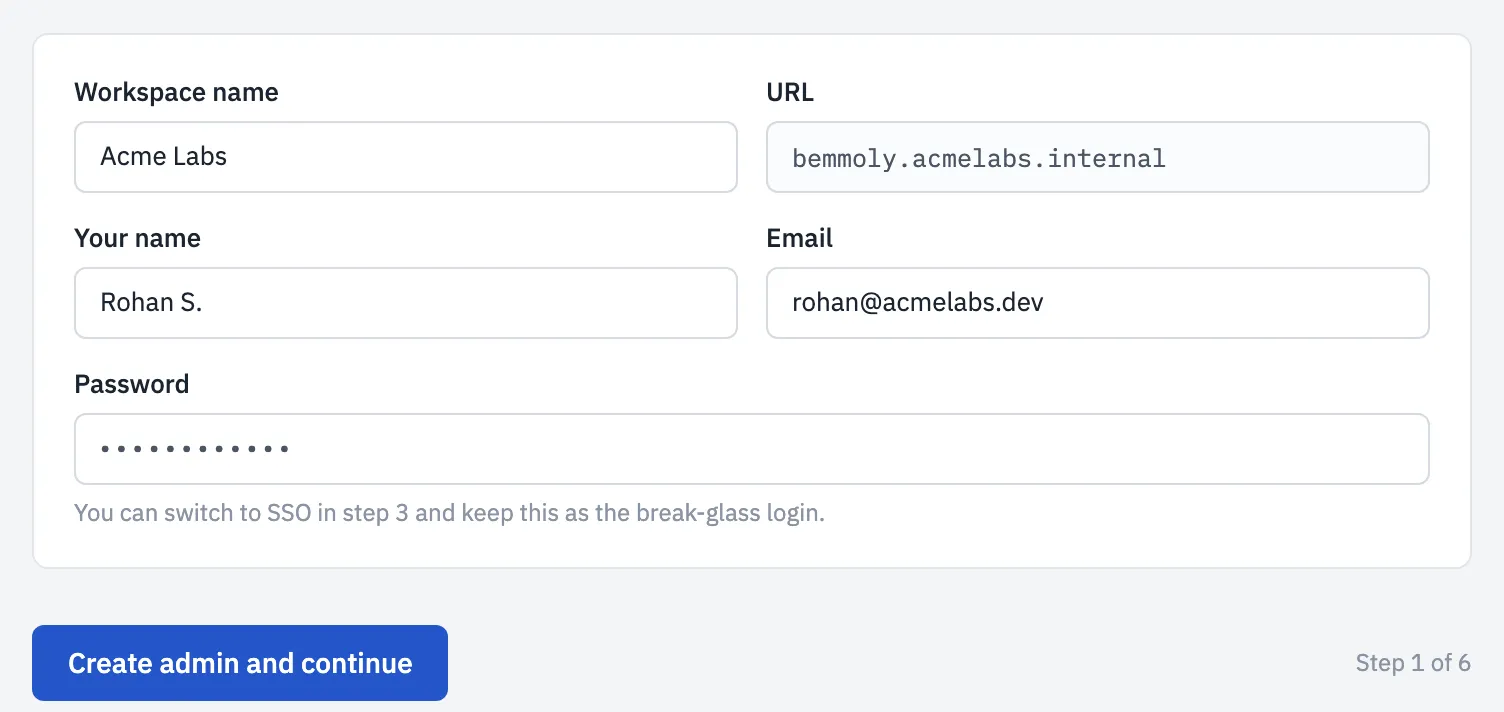
Open the URL and create the first admin
The first visit runs a short setup: the server’s health checks, then the account that owns the workspace.
Invite your team
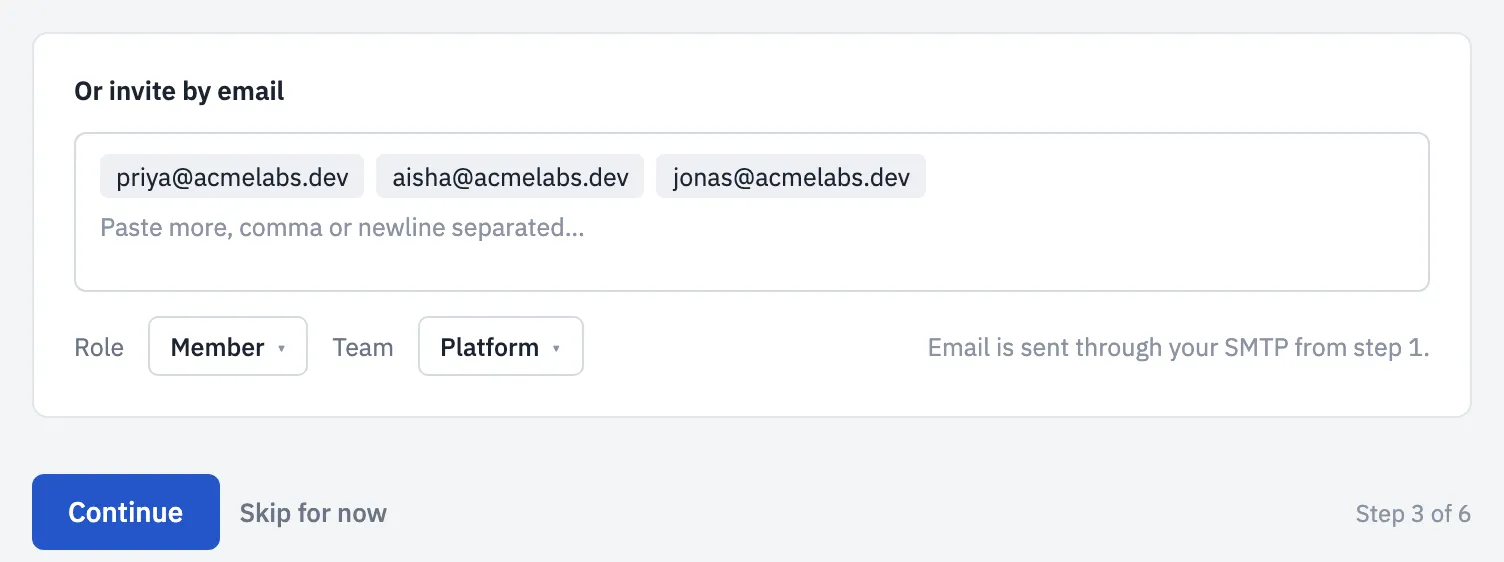
Paste email addresses, pick a role and a team, and Bemmoly sends the invitations through your mail server.
Connect AI if you want
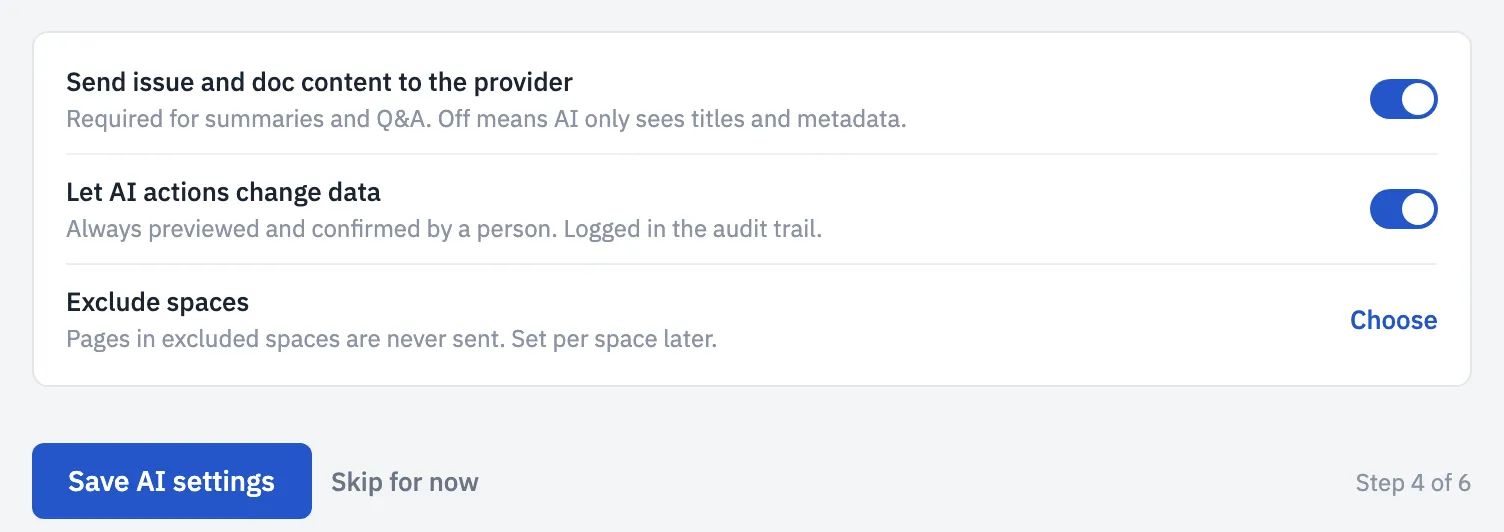
Bemmoly works fully without AI. Connect your own provider or a model on your network, or skip it; nothing is sent anywhere until you do.
Sizing and cost
| Team | Server | What to expect |
|---|---|---|
| Up to 50 people | 1 vCPU, 2 GB | Comfortable; AI jobs run one at a time. |
| Up to 200 people | 2 vCPU, 4 GB | The size we promise on one VM: the app uses about 400 MB, Postgres about 1 GB, and the rest is headroom for imports. |
| Up to 1,000 people | 4 vCPU, 8 GB | Or split the api and worker roles, with Postgres on its own machine and attachments in an S3-compatible bucket. |
| Beyond | Helmplanned | Several replicas and a managed Postgres with a read replica. |
The “$20 server” is the second row: a 2 vCPU, 4 GB VM lists at roughly $5 to $25 a month with common cloud and VPS providers, and Bemmoly adds no licence or per-seat fee on top.